One tool, three jobs, every site.
wearpoint is one app that follows the machine: the operator taps in and inspects on their phone, the shop turns defects into finished work orders, and the owner sees the whole fleet’s readiness — all from the same record.
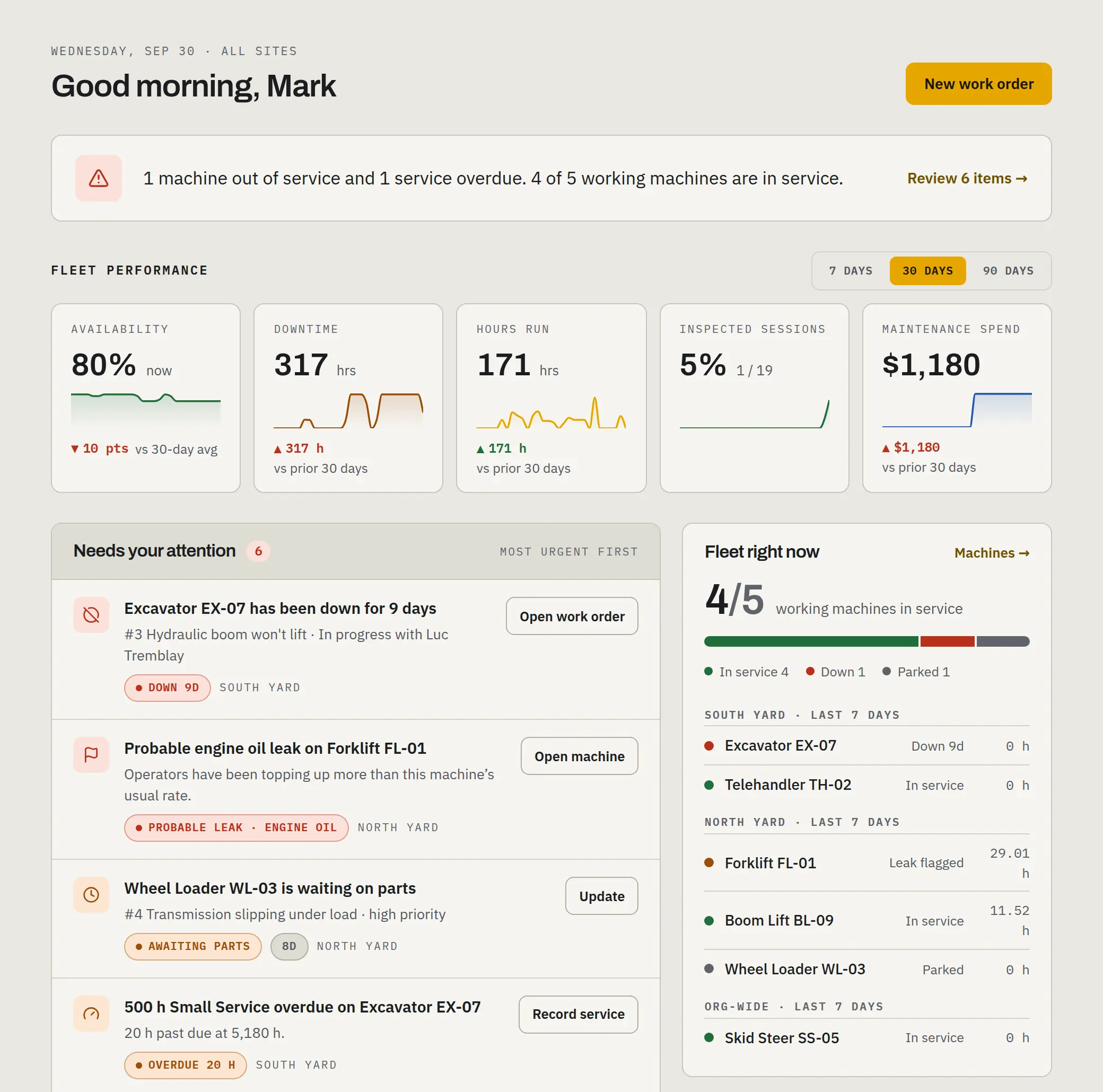
For owners & managers. Know the fleet without walking it.
The dashboard answers the morning questions — what's down, what's open, and what's due — then shows the trends and the spend behind them. Every number traces back to a tap on a real machine, wherever it’s working.
Morning briefing
A one-line summary, then what needs you, most urgent first: machines down, issues to triage, probable leaks, and service coming due. Below it, availability, downtime, hours run, inspections, and maintenance spend over 7, 30, or 90 days, for a site or the whole operation.
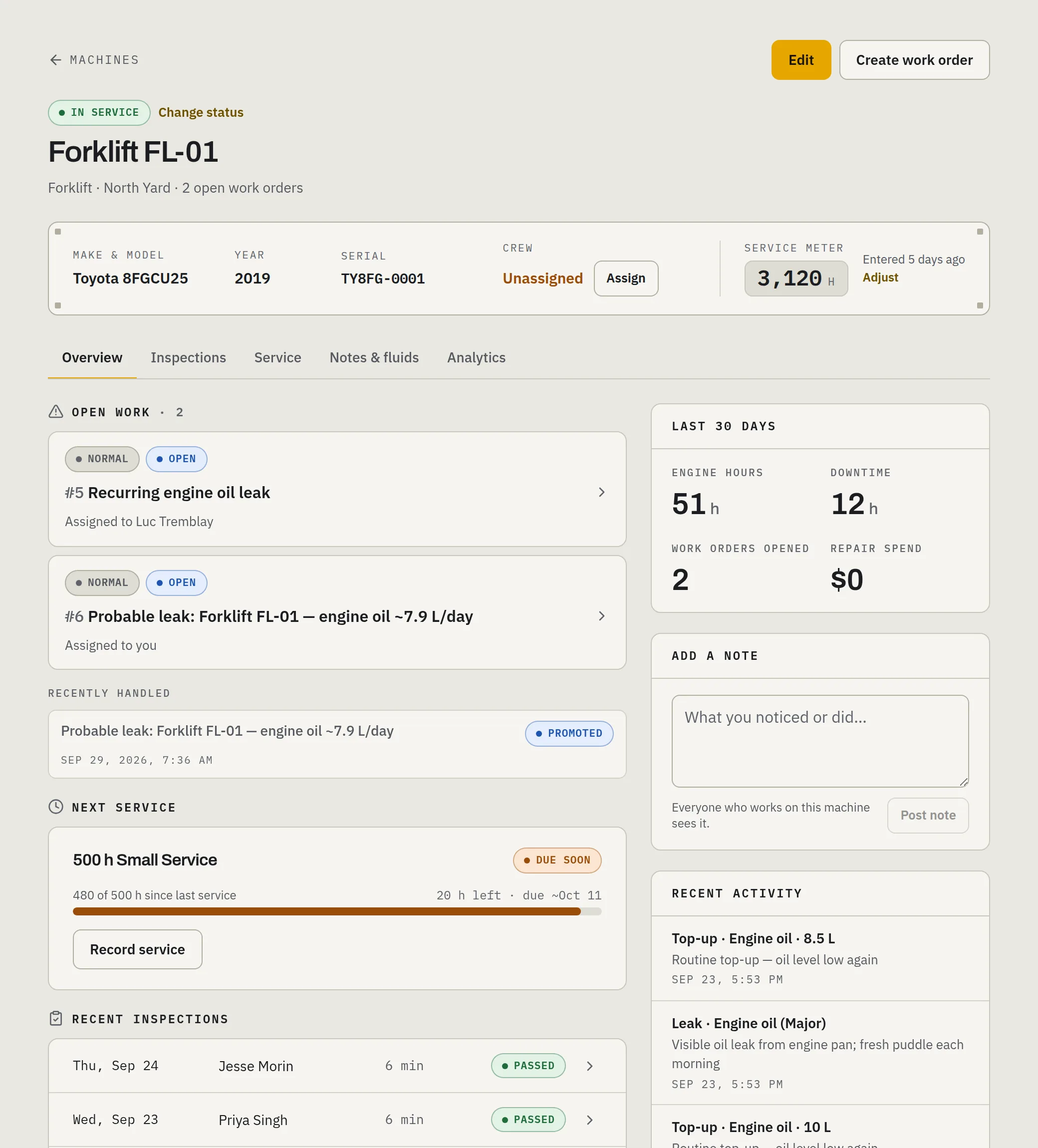
Machine health record
One page per machine: live meter hours, service history and forecast, signed-off inspections, fluid history, open issues, work orders, and notes.
Hour-based service
Recurring services keyed to real meter hours — a 500-hour service comes due at 500 hours of actual use, not on a calendar guess, and the dashboard projects the date from how hard each machine is running.
Inspection compliance
Coming soonHow much of the fleet got inspected, what passed with defects, and where the defects concentrate — the audit answer, always current.
Inspection coverage
Every tap-in session is classed inspected, late, incomplete or skipped against the checklists it expected. Owners and the site’s managers are flagged when a check is skipped, late, suspiciously fast or mostly N/A, and the coverage report prints the sessions and the untracked hours for any period.
Crew & invites
Operators, mechanics, and managers each get the view they need. Invite by text; deactivate in one tap when someone moves on.
Suggested service programs
Ask for a suggested preventive-maintenance program per machine — tiered hour intervals with task summaries you activate per tier.
For operators. Fast enough to actually happen.
If the walkaround takes longer than the coffee, it stops happening. The operator’s screen is a machine list, a short checklist, and one big button.
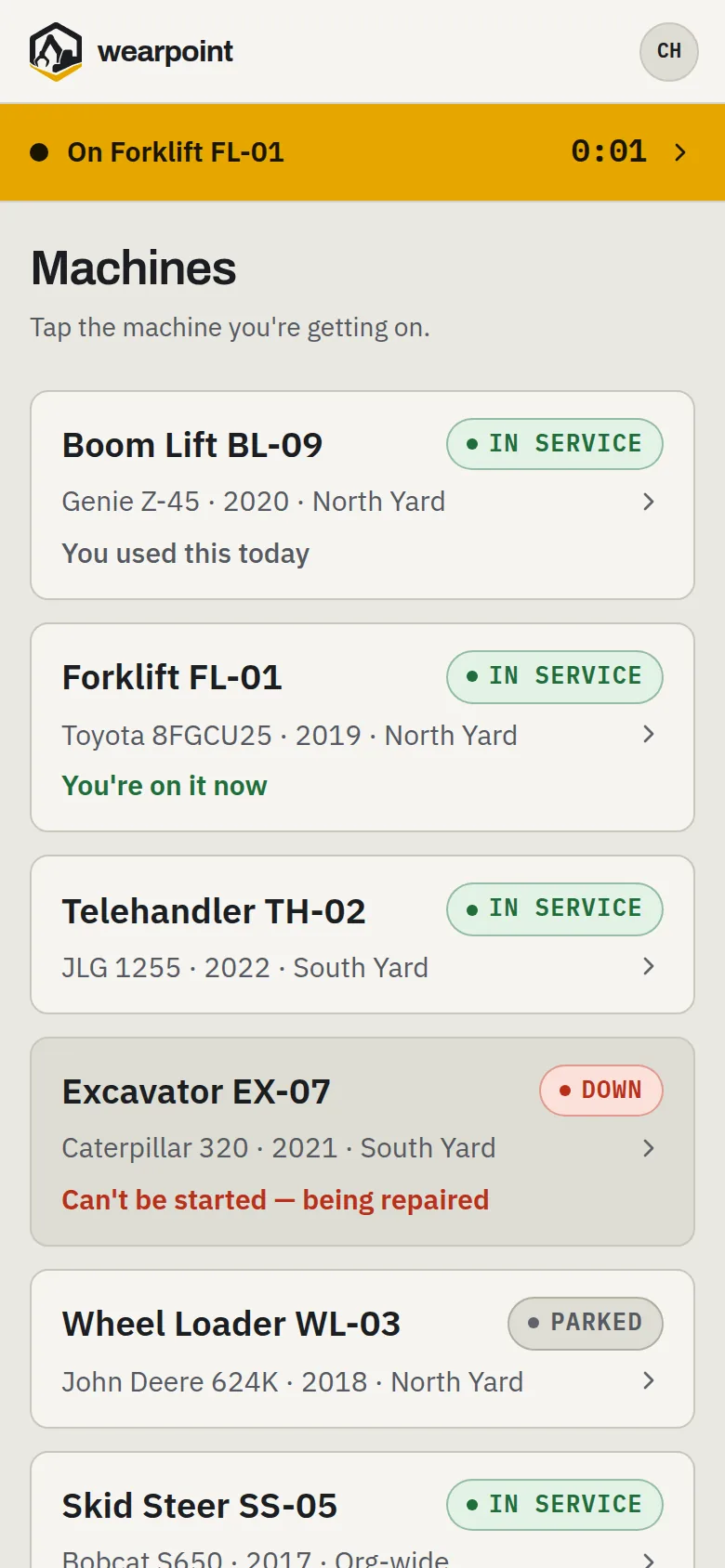
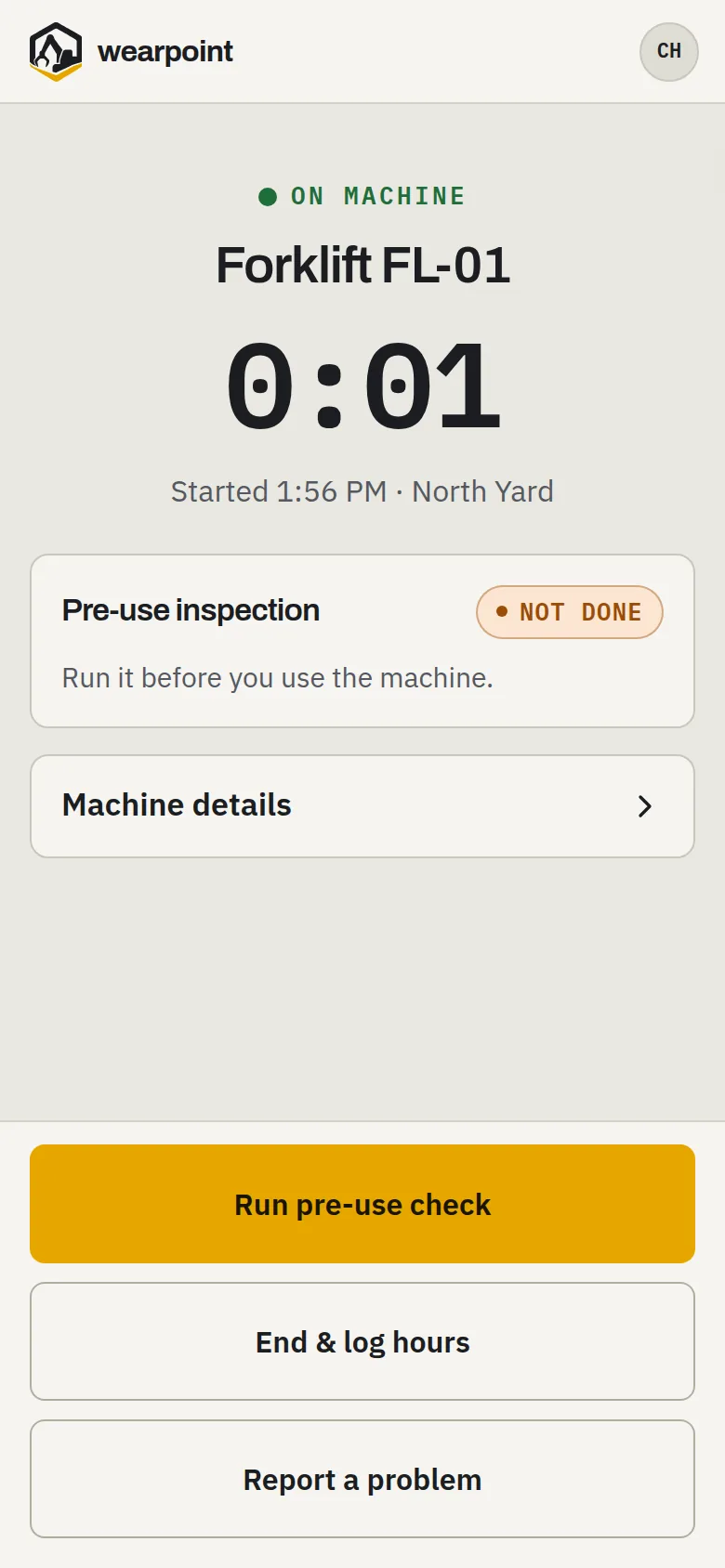
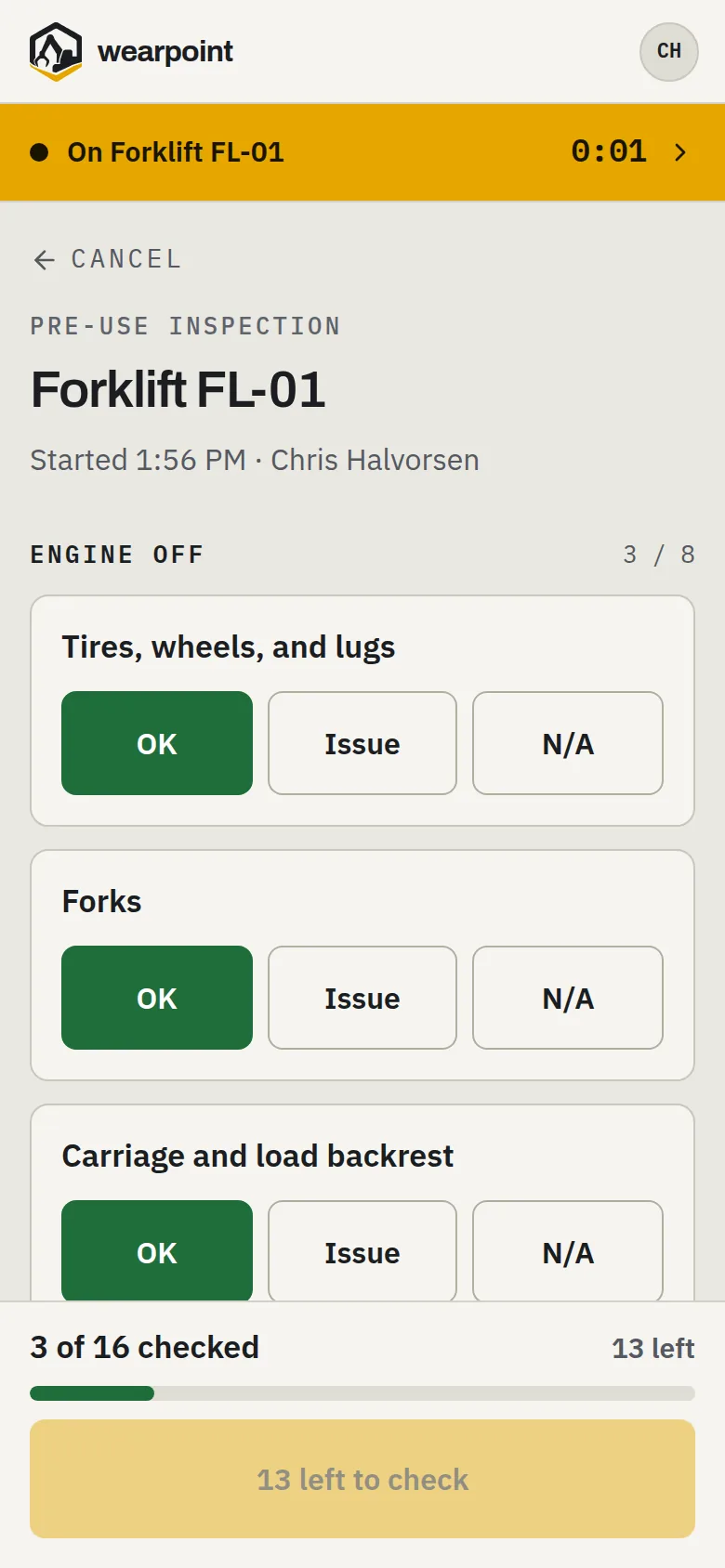
Tap in, tap out
The home screen is the machine list. Tap the machine to start the session, and enter the hour-meter reading when you tap out. Switching machines asks for the hour-meter reading of the one you leave, or “I can't read it”.
Pre-shift inspection
A short checklist with big targets: OK, Issue, or N/A per item. Flag a defect with a quick note, and open defects carry forward until they're fixed. A failed check takes the machine out of service and ends your session.
One-tap issue
Something's wrong that isn't on the checklist? Raise an issue in one tap. No forms — triage is the shop's job.
Fluids as they happen
Log a top-up — the fluid and the litres added — right from the seat; it feeds the leak watch automatically. Spotted a puddle? Raise it in one tap.
Built for gloves
One dominant action per screen, sized for work gloves in bad light. It runs in the browser on the phone already in your pocket — nothing to download from an app store.
Notes that stick
Notes on the machine record, signed by whoever wrote them — the thing you'd have told the next shift, written down where it stays.
For the shop. A queue, not a pile of sticky notes.
Defects and operator reports arrive in one queue, ready to triage, the repair history writes itself into the work log, and the machine goes back in service when the work is done.
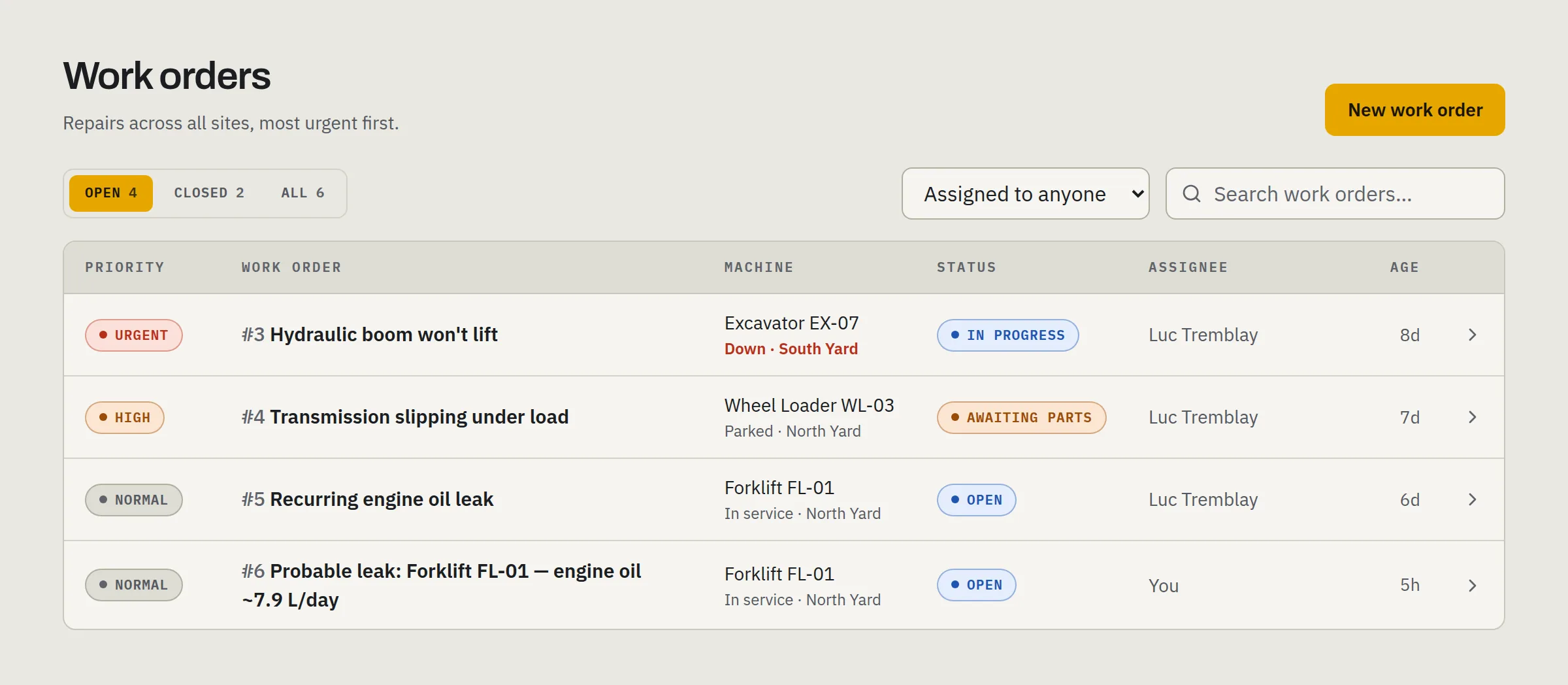
Assigned to me
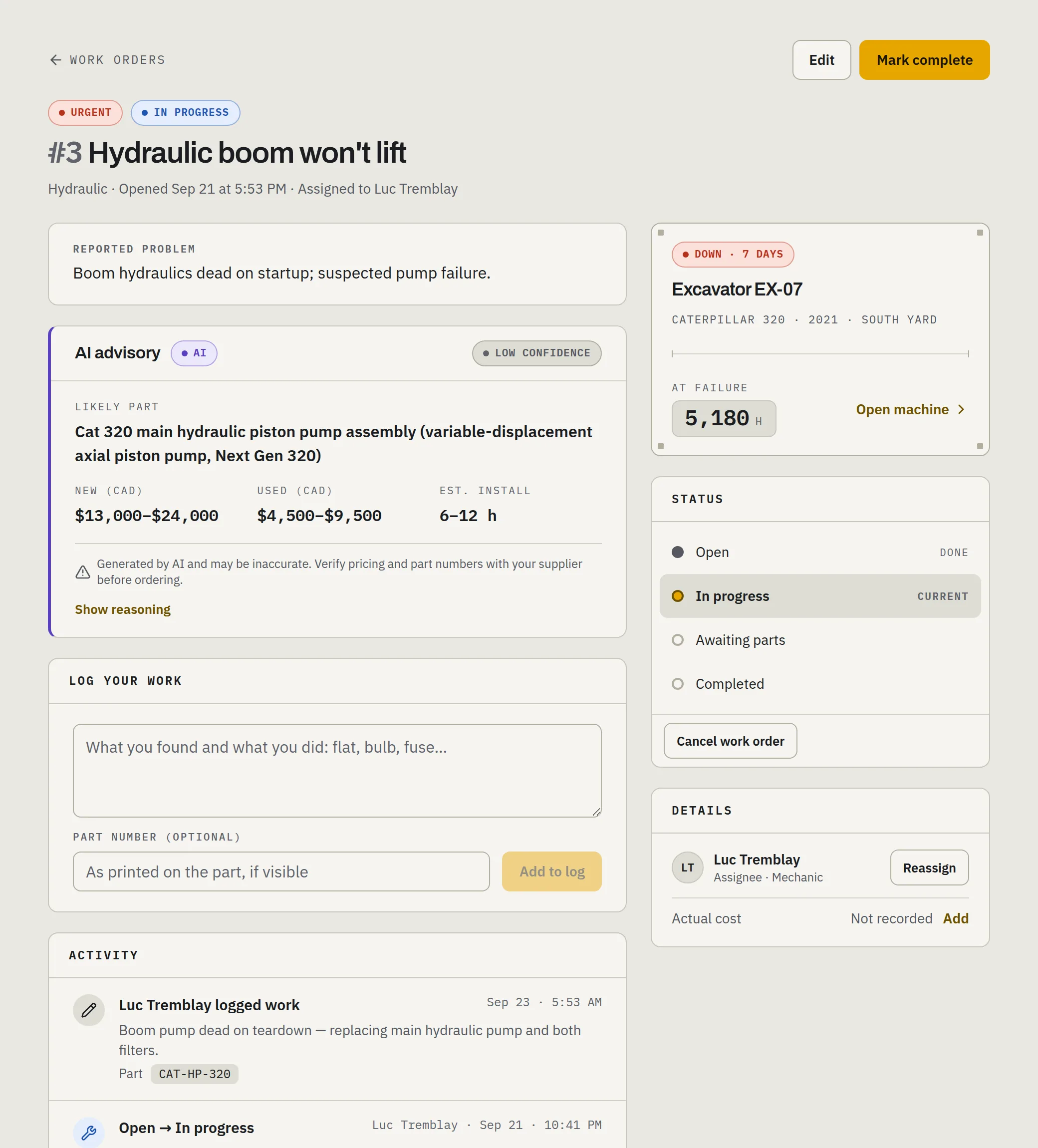
Mechanics land on the work-order queue, with their own jobs first. Open a work order and the machine's whole story is one tap away.
The work log
Repair reports live on the work order — what was done and the parts used, signed by the mechanic and never overwritten. The history survives the mechanic's memory.
Record the service
Log a performed service against its schedule with the meter reading, and the next one comes due from that reading.
Back in service
Closing the machine's last open work order can return it to service on the spot — no waiting on someone with an office login.
Issue triage
Operator-raised issues arrive in one queue: promote to a work order, or close with a reason. Completing the work order resolves its issues.
Repair advisory
Opening a work order can fetch an advisory: likely part with part number, new and used price ranges in CAD, and a labour estimate.
Try it on your own machines.
Start a free trial and add your fleet yourself — or bring the fleet list and we’ll set it up for you.